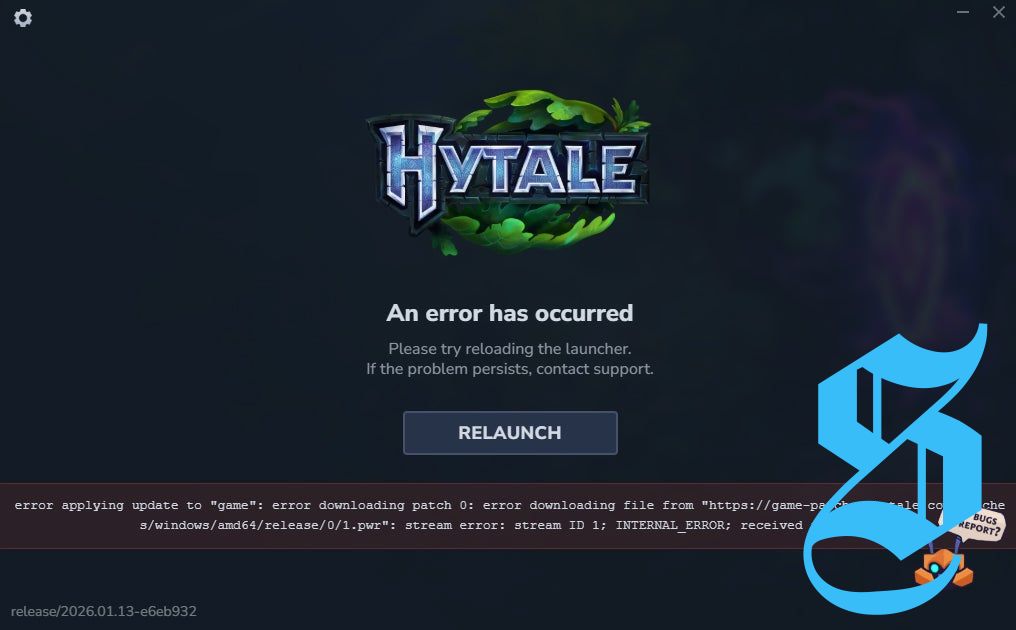
The Hytale download stuck error is one of the various bugs players might encounter during launch.
As you try to access Hytale, you might see an error stating there’s an issue applying the update and downloading patch 0. This will temporarily prevent you from logging in, but don't worry; there are potential fixes available.
Here are some possible solutions for the Hytale download stuck error.
Possible solutions for download stuck error in Hytale
Below are a few solutions to resolve the Hytale download stuck error that can occur when you attempt to start the game.
Relaunch the installer
This is the fix that worked for me. Simply select the 'Relaunch' option from the error message and attempt to install Hytale again. This time, the installation may be successful, allowing you to enter the game!
Even if this doesn't work on your first try, keep attempting. While it should ideally fix the issue swiftly, the high demand for Hytale could lead to installation rushes, where multiple users attempt downloads simultaneously, occasionally resulting in problems.
If this doesn't resolve the issue, there is a second solution you can explore…
Reinstall the launcher
If relaunching doesn't help, consider reinstalling the launcher. Click the gear icon at the top left corner of the launcher to access the 'Settings' menu.
From there, you will see the 'Uninstall' option—click on it. This will take you to a new screen showing your installed Hytale versions. If you see an option called 'release,' it would be wise to uninstall and reinstall that version. If not, select 'Reset Game Setting' to allow you to reinstall the launcher.
If neither of these options proves successful, you might want to completely uninstall the launcher from your PC and clear your browser cache before downloading and installing the latest Windows installer from the official Hytale website. This solution has reportedly worked for players who installed the launcher on Saturday, January 10th, so give it a try if you fit that description.
Good luck with Hytale! It is also beneficial to be aware of the Hytale system requirements to ensure the best performance on your PC.



No comments yet. Be the first to share your thoughts!