
Buying a laptop can feel overwhelming, especially for small business owners who need to make the right investment without the hassle of technical jargon. In today's market, terms like Intel Core Ultra, AMD Ryzen AI, and Snapdragon X swirl around, creating a fog of confusion over which processor truly suits your needs.
Fear not! You don't need to be a tech expert to choose the right laptop. While the variety of processor options may seem daunting, finding the best fit boils down to a few key factors: your specific usage needs, budget, and desire for longevity in device performance.
Let’s break down some essential aspects of laptop processors so you can confidently make an informed decision that will serve your small business well.
Understanding the Core Functions of a Processor
The processor, or central processing unit (CPU), can be viewed as the heart or engine of your laptop. It is responsible for executing commands to help your computer run applications, manage spreadsheets, browse the internet, participate in video calls, and even edit documents simultaneously. Essentially, the power of your processor determines how smoothly these tasks can be performed.
When you think about enhancing productivity in your small business, consider this: a more powerful processor can handle more complex tasks and multitasking demands. However, bigger and faster does not always correlate to better for your specific needs.
Therefore, the key to making the best choice is aligning the processor's capabilities with the tasks you will need it to perform.
Choosing Between Major Processor Brands: Intel, AMD, and Qualcomm
Currently, three key players dominate the laptop processor market, each offering distinct advantages for various users:
- Intel: Known as a stalwart in the computing world, Intel’s Core processors are synonymous with reliability and balanced performance. Their CPUs are compatible with a wide range of business applications and legacy systems, making them a common choice among established firms.
- AMD: In recent years, AMD’s Ryzen series has gained tremendous popularity due to its robust performance across multitasking and demanding applications. The latest Ryzen AI processors incorporate specific features geared toward artificial intelligence, making them a superior choice for users who frequently engage with resource-heavy programs, from data analysis to image editing.
- Qualcomm: With its Snapdragon X series, Qualcomm approaches processing from a different angle, focusing on efficiency and power conservation. These ARM-based processors are excellent for users who require extended battery life, particularly in environments where charging may not be an option.
Decoding Intel’s Latest Offering: Core Ultra
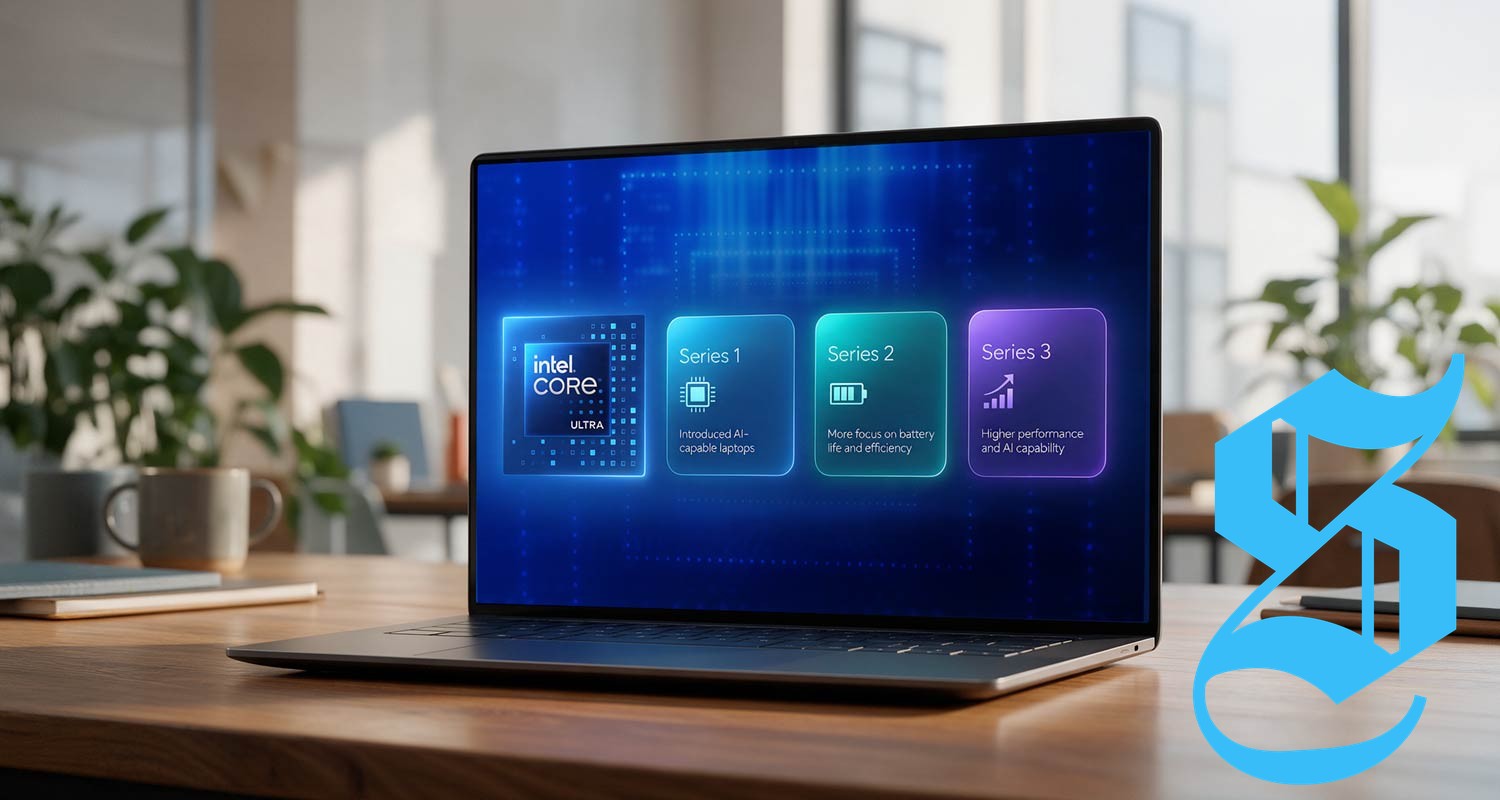
Intel has stepped up its game with the introduction of its Core Ultra line, which moves beyond the conventional Core i5 and i7 labels. Specifically designed for modern laptops, Core Ultra aims to enhance battery efficiency while improving graphics and artificial intelligence capabilities.
- Core Ultra Series 1: This introductory series emphasizes the integration of dedicated hardware for handling AI tasks, lightening the workload on the main CPU. This ability allows for smoother operation during resource-intensive activities.
- Core Ultra Series 2: Focused particularly on battery efficiency, this series is ideal for lightweight laptops, catering for those who work while travelling or shifting between various locations.
- Core Ultra Series 3: As Intel’s latest iteration, Series 3 offers advanced performance for users engaged in computationally heavy tasks, such as software development or video editing. Nevertheless, it’s critical to remember that opting for a pricier model doesn’t necessarily provide benefits if it exceeds your working requirements.
Diving Into NPU Technology: What It Means for You
As you shop for laptops, you may come across the term NPU—short for Neural Processing Unit. At first glance, this may seem like an intimidating label, but understanding its role is essential for making an informed decision.
An NPU is fundamentally designed to manage specific AI tasks efficiently. A modern laptop might feature three types of processing power:
- CPU: The everyday computing power that handles general tasks.
- GPU: Responsible for managing graphics, video, and other visually intensive tasks.
- NPU: Focuses on executing AI-driven functions such as noise reduction during calls, video background blurring, automatic framing, and translation.
The presence of a dedicated NPU allows the CPU to focus on broader tasks, enhancing overall efficiency and conserving battery power. For South Africans operating in dynamic work environments, where access to electrical outlets can hamper productivity, leveraging NPUs can be invaluable.
Understanding Processor Levels: Finding Your Sweet Spot
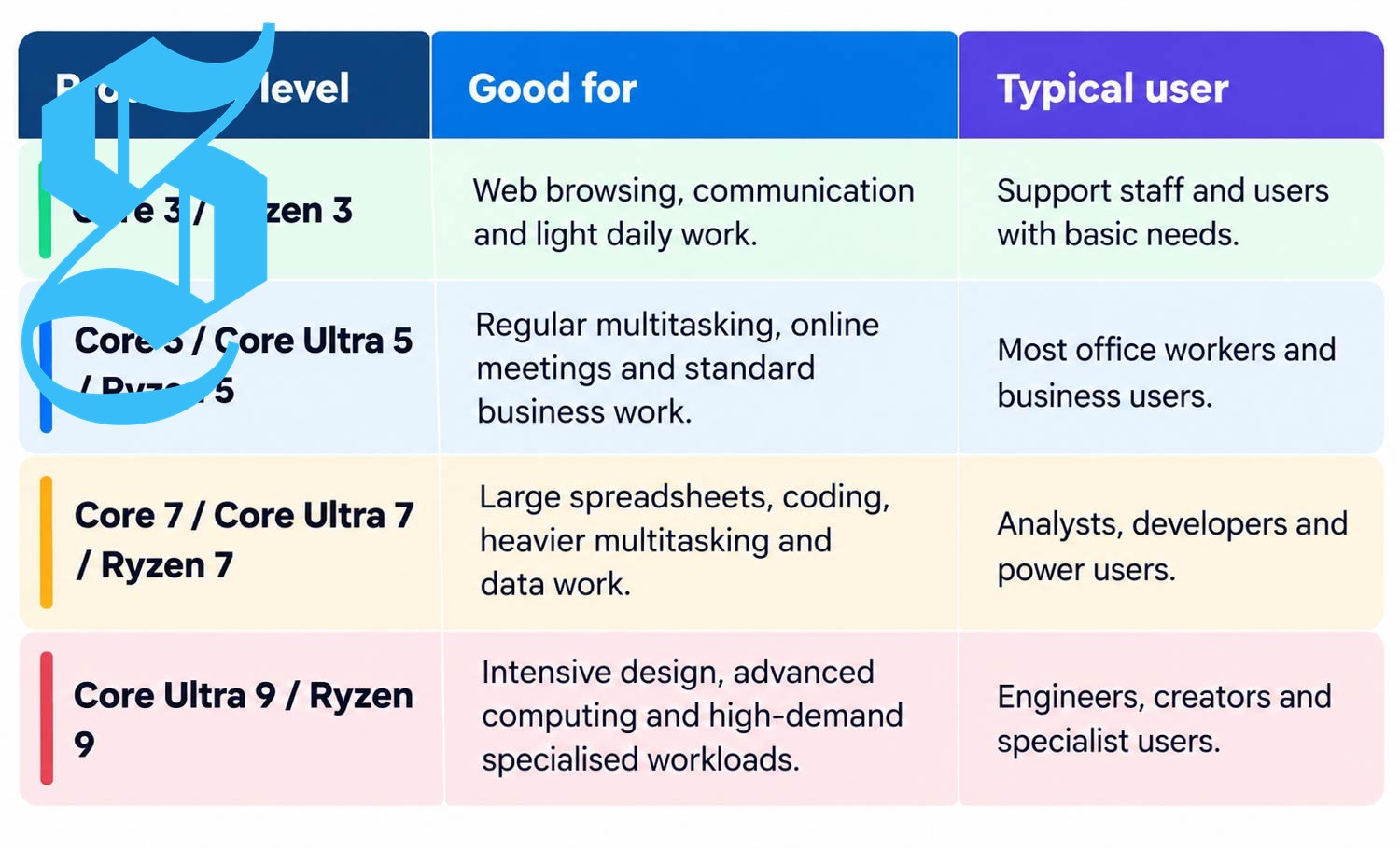
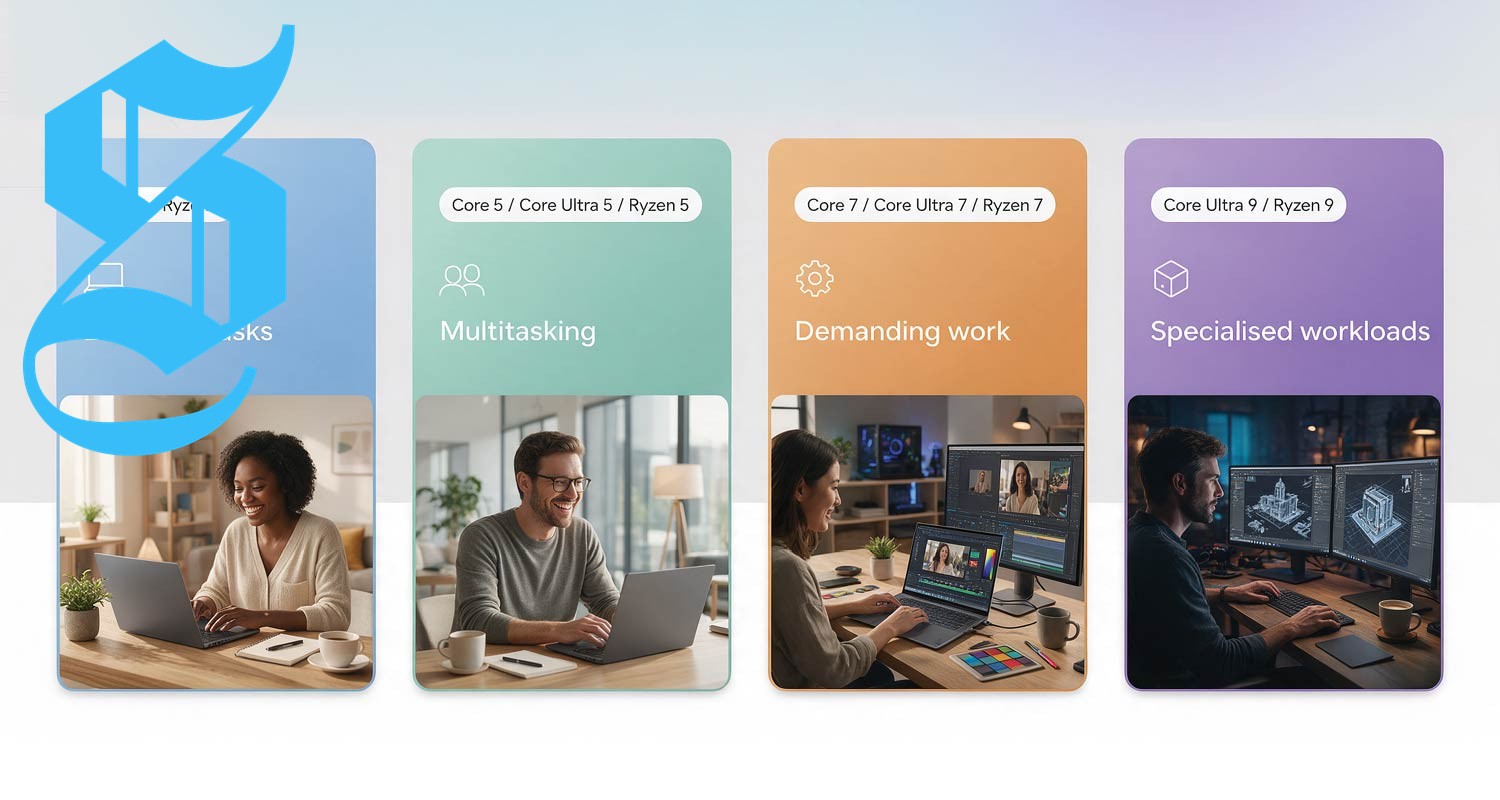
Before proceeding to buy a laptop, reflect on your business’s daily tasks. Not all users require a high-tier processor. For many small businesses, a mid-range option could represent the perfect balance between capability and cost.
For example, a Core Ultra 5 or Ryzen 5 will efficiently manage your day-to-day functions without necessitating the expense of excessively high-end models that remain underutilized in simpler tasks.
Deciphering Processor Labeling: What Do Those Letters Mean?
Processor specifications often comprise letters after the model number, such as U, V, H, or HX. These designations provide insights into their intended functionality:
- U: Designed for efficiency, these processors are suitable for everyday tasks and portable laptops, emphasizing battery life.
- V: V-series processors prioritize premium efficiency, particularly in laptops designed around AI capabilities.
- H: Catering to heavier workloads, H-series processors sacrifice some energy efficiency in exchange for enhanced performance, often required in creative endeavors or intensive multitasking.
- HX: Focused on maximum performance, HX processors are crafted for high-demand tasks, such as engineering projects and advanced creative activities.
Making Your Final Processor Choice: Asking the Right Questions
Your choice ultimately hinges on your daily requirements. If your work revolves around basic tasks—sending emails, browsing the web, and occasional video conferencing—a robust processor isn’t necessary.
Conversely, if your activities include processing large datasets, editing multimedia files, or running specialized applications, considering upgrades to a Core Ultra 7 or Ryzen 7 may be warranted.
Insist on assessing battery life based on your business environment. U- and V-series processors are ideal options for portability, alongside the efficient Snapdragon X laptops, too. Also, ensure compatibility with vital software packages before committing to a Snapdragon laptop.
Need Further Assistance? Guidance is Just a Store Visit Away
If navigating this landscape appears daunting, visit your nearest Incredible store. Knowledgeable staff are available to help you navigate processor choices and laptop specs. Once you select your device, benefit from the Walk Out Working service, which prepares your laptop for immediate usability.
For additional support, TechXperts can assist with data transfers, device health checks, and ongoing technical support. A complimentary 3-year warranty comes with every laptop purchase, giving you peace of mind.
For business customers, take advantage of the 30-day business account, featuring interest-free payment options. Terms and conditions apply. Discover more at incredible.co.za.
- Explore more articles and insights designed to empower your business.
- This sponsored content has been financed by the concerned party.

No comments yet. Be the first to share your thoughts!